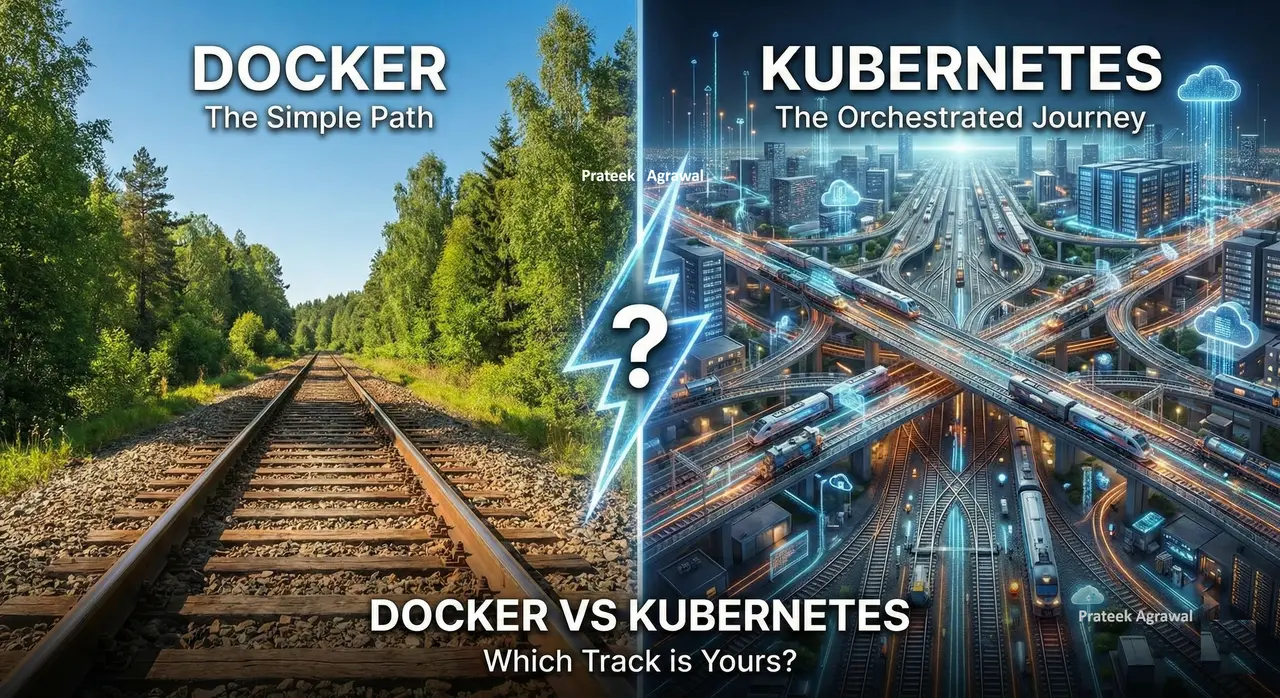
"Just use Docker, it will be fine." Every backend engineer has heard that line, and it often comes before a 3 AM production outage. But Docker vs Kubernetes is not a competition: the two tools do different jobs.
Key points
- Docker packages applications; Kubernetes orchestrates them.
- Docker alone fits single hosts, small teams, and predictable traffic.
- Adopt Kubernetes when scale or operational pain makes the added complexity worthwhile.
Understanding that distinction is one of the most practical architectural decisions you will make as an engineer. This article gives you a clear mental model, real code examples, and an honest framework for deciding which one belongs in your stack.
Docker vs Kubernetes: The One Analogy That Clears It Up
Think of your application as a train.
Docker is the train itself. It packages your app and everything it needs -- runtime, libraries, dependencies, config -- into a single self-contained unit called a container. Run it on your laptop, in a CI pipeline, on a cloud VM. It behaves identically everywhere.
Kubernetes is the railway network. The tracks, signals, dispatch center, scheduling system, and control room manage hundreds of trains at once. It does not care what is inside the trains. It cares about where they go, how many run at once, and what happens when one breaks down.
One is a packaging tool. The other is an orchestration platform.
This single distinction eliminates most of the confusion around these two tools.
Docker: The Packaging Tool
Docker launched in 2013 and changed how software gets shipped. Before containers, deploying an app meant hoping production matched development. It usually did not.
Docker solved this by shipping the environment alongside the code.
Core Docker Concepts
Dockerfile -- A recipe for building your container image:
FROM node:24-alpine

WORKDIR /app

COPY package*.json ./
RUN npm install

COPY . .

EXPOSE 3000
CMD ["node", "server.js"]
Docker Image -- A portable, immutable snapshot of your app and its environment.
Docker Container -- A running instance of that image. Lightweight, isolated, and disposable.
Docker Compose -- Defines and runs multi-container applications locally. Your app, a Postgres database, and a Redis cache -- all spun up with one command:
# docker-compose.yml
services:
  app:
    build: .
    ports:
      - "3000:3000"
    environment:
      DATABASE_URL: postgres://postgres:secret@db:5432/myapp
    depends_on:
      - db

  db:
    image: postgres:15
    environment:
      POSTGRES_PASSWORD: secret
    volumes:
      - postgres_data:/var/lib/postgresql/data

  cache:
    image: redis:7-alpine

volumes:
  postgres_data:
Run docker compose up and you have a full local stack running in seconds. Zero environment mismatch. Zero "works on my machine."
When Docker Alone Is the Right Call
- Building and testing locally
- Deploying to a single server
- Small team, simple pipeline
- Early-stage product, pre-scale
- Predictable, manageable traffic
Docker is not a beginner tool that you graduate from. Plenty of serious production systems run beautifully on a single Docker host behind a reverse proxy like Caddy or Nginx. Do not add complexity you have not earned yet.
Kubernetes: The Orchestration Layer
Kubernetes was open-sourced by Google in 2014, built on lessons from their internal system called Borg -- a platform that had been running containers at planetary scale for over a decade.
The name comes from the Greek word for "helmsman." Kubernetes does not build your containers. It steers them.
The Problem Kubernetes Was Built to Solve
Imagine you have 50 Docker containers running your microservices across 10 servers. Now answer these questions:
- A container crashes at 3 AM. Who restarts it?
- Traffic spikes every day at 2 PM. Who spins up extra instances?
- You need to deploy a new version. How do you do it without downtime?
- Two containers on different servers need to talk to each other. How do they find each other?
- An entire server goes down. What happens to the containers running on it?
With standalone Docker, the answer to every single one of those questions is: you do it. Manually.
Kubernetes automates all of it.
Core Kubernetes Concepts
Pod -- The smallest deployable unit in Kubernetes. Usually wraps a single container.
Deployment -- Declares the desired state: how many replicas you want, which image to run, and how to roll out updates:
apiVersion: apps/v1
kind: Deployment
metadata:
  name: my-app
  labels:
    app: my-app
spec:
  replicas: 3
  selector:
    matchLabels:
      app: my-app
  template:
    metadata:
      labels:
        app: my-app
    spec:
      containers:
      - name: my-app
        image: myrepo/my-app:v2.1
        ports:
        - containerPort: 3000
        resources:
          requests:
            memory: "128Mi"
            cpu: "250m"
          limits:
            memory: "256Mi"
            cpu: "500m"
Service -- A stable network endpoint that routes traffic to healthy Pods, even as individual Pods come and go:
apiVersion: v1
kind: Service
metadata:
  name: my-app-service
spec:
  selector:
    app: my-app
  ports:
  - port: 80
    targetPort: 3000
  type: ClusterIP
Ingress -- Manages external HTTP/HTTPS traffic and routing rules into your cluster.
HorizontalPodAutoscaler (HPA) -- Automatically scales your Deployment based on CPU, memory, or custom metrics:
apiVersion: autoscaling/v2
kind: HorizontalPodAutoscaler
metadata:
  name: my-app-hpa
spec:
  scaleTargetRef:
    apiVersion: apps/v1
    kind: Deployment
    name: my-app
  minReplicas: 2
  maxReplicas: 10
  metrics:
  - type: Resource
    resource:
      name: cpu
      target:
        type: Utilization
        averageUtilization: 70
ConfigMap and Secret -- Store configuration and credentials separately from your container images.
Namespace -- Logical isolation inside a cluster. Think of it as folders for your workloads.
What Kubernetes Handles Automatically
- Self-healing -- Crashes are detected and containers restarted without human intervention
- Auto-scaling -- Scale up under load, scale down to reduce cost
- Rolling updates -- Deploy new versions with zero downtime
- Service discovery -- Containers find each other by name, not IP address
- Load balancing -- Traffic is distributed evenly across healthy instances
- Multi-node scheduling -- Workloads are placed across your server fleet
- Secret management -- Centralized credentials and configuration
Docker vs Kubernetes: Side-by-Side Comparison
| Feature | Docker (standalone) | Kubernetes |
|---|---|---|
| Primary role | Containerization | Orchestration |
| Complexity | Low | High |
| Learning curve | Gentle | Steep |
| Best for | Single host, local dev | Multi-node, production scale |
| Auto-scaling | Manual | Built-in via HPA |
| Self-healing | No | Yes |
| Rolling deploys | Manual | Built-in |
| Setup time | Minutes | Hours to days |
| Multi-service locally | Docker Compose | Helm / manifests |
| Local / managed tool | Docker Desktop, Docker Compose | EKS, GKE, AKS |
| Operational overhead | Very low | Significant |
Do You Actually Need Kubernetes?
This is the most important question in this article -- and most engineers jump to the wrong answer.
Stay with Docker If
- Your app runs on 1 to 3 servers
- Traffic is stable and predictable
- Your team is fewer than 5 engineers
- You are pre-product-market fit
- Speed of iteration matters more than operational sophistication right now
Move to Kubernetes If
- You are running 10 or more microservices
- You need automatic failover and zero-downtime deployments
- Traffic patterns require elastic scaling
- You have dedicated DevOps or platform engineering capacity
- Manual container management has already become unsustainable
The Part Most Articles Skip
Kubernetes is powerful. It is also expensive in ways that are easy to underestimate.
Operational overhead -- The cluster itself needs maintenance, upgrades, and monitoring. This is a non-trivial ongoing cost.
Debugging complexity -- Distributed systems fail in distributed ways. When something goes wrong in Kubernetes, the blast radius of confusion is much larger.
Learning investment -- YAML manifests, networking models, RBAC, storage classes, admission controllers -- Kubernetes has a genuinely deep surface area.
Real dollar cost -- A highly available Kubernetes cluster with proper redundancy is not cheap, especially on managed services.
Many successful, profitable software products run without Kubernetes. Premature orchestration is a form of over-engineering, and over-engineering has killed more startups than under-engineering ever has.
"Complexity is debt. Make sure it is paying dividends."
How Docker and Kubernetes Work Together
In most real-world production setups, Docker and Kubernetes are not competing choices. They work together as layers in the same pipeline:
Developer writes code
        |
        v
Docker builds the image    <-- Dockerfile
        |
        v
Image pushed to a registry <-- Docker Hub / ECR / GCR / GHCR
        |
        v
Kubernetes pulls the image <-- Deployment manifest
        |
        v
K8s runs, scales, heals, and routes traffic to your containers
Docker creates the artifact. Kubernetes operates it. They complement each other at different layers of the stack.
Getting Started Today
Docker Quick Start
# Pull and run an existing image
docker run -p 8080:80 nginx

# Build your own image
docker build -t my-app .

# Run your container
docker run -p 3000:3000 my-app

# Run with Docker Compose
docker compose up --build
Running Kubernetes Locally
Two practical options for running Kubernetes on your machine:
minikube -- Single-node local cluster, useful for local work.
kind (Kubernetes IN Docker) -- Faster, runs Kubernetes inside Docker containers.
# Install minikube (macOS example)
brew install minikube

# Start a local cluster
minikube start

# Deploy something
kubectl apply -f deployment.yaml

# Check what is running
kubectl get pods
kubectl get services
Ready for Production
Skip managing your own control plane and use a managed service:
- Google GKE -- Generally considered the most polished managed Kubernetes experience
- Amazon EKS -- Best if your stack is already AWS-native
- Azure AKS -- Best if your stack is already Azure-native
Recommended Resources
Kubernetes Official Documentation
Kubernetes the Hard Way by Kelsey Hightower
FAQ
Is Docker harder than Kubernetes?
Docker is much simpler because it focuses on packaging and running containers on one host. Kubernetes adds cluster concepts, networking, and workload management, so it takes longer to learn.
Can Kubernetes run without Docker?
Yes. Kubernetes works with any OCI-compatible container runtime such as containerd or CRI-O, not just Docker. Docker remains a common way to build images, but the runtime is separate.
When should I start using Kubernetes?
Start when manual container management across many services or servers becomes painful, or when you need built-in autoscaling, failover, and zero-downtime rollouts. Otherwise Docker on a few servers or managed containers is usually enough.
The Broader Lesson
The Docker vs Kubernetes question is a proxy for a deeper engineering principle:
Let complexity earn its place.
Every powerful tool carries a cost. Kubernetes earns that cost when your scale makes its benefits outweigh its overhead. Before that point, it is a liability dressed up as sophistication.
The best engineers do not chase the most complex solution available. They pick the right tool for right now, with a clear-eyed view of what they will need next.
Start simple. Scale deliberately. Earn complexity.